


NRA
3.122.00 Reviews
App Specs
- Version
- 1.0.8
- Updated On
- License
- Free
- Downloads
- 10,000+
- Developer
- National Rifle Association of America
- Categories
- News & Magazines
- Platform
- Android
Screenshots
 Analysis by AppCompare
I approached NRA as a news and magazines app for people who want the National Rifle Association of America’s material gathered in one place rather than spread across a browser, inbox, and membership card. Its focus is quite specific: news, training resources, events, a digital ID card, and member benefits. That narrow purpose is also its main strength. If those are the things I regularly need, the app can reduce a fair amount of searching. If I am looking for broad, neutral news coverage or a general firearms reference library, I would choose something else.
The app is free to download and aimed at Teen users. It runs on Android devices starting with version 5.0, which makes it available to a wide range of older phones in principle. The current release is version 1.0.8, and the app has passed the ten-thousand-install mark. Those details matter less than the practical question: does it make the information I want easier to reach when I am busy, travelling, or preparing for training? My answer is cautiously positive, with some important limits around audience, content perspective, and accessibility.
How the app handles reading and navigation
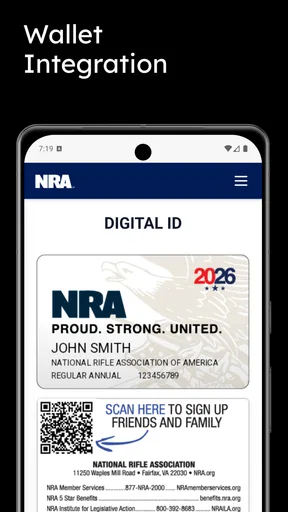
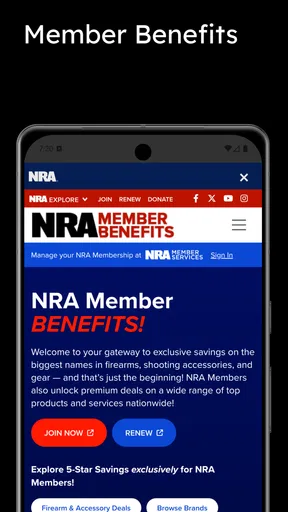
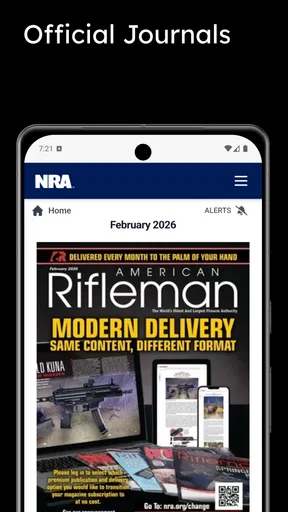
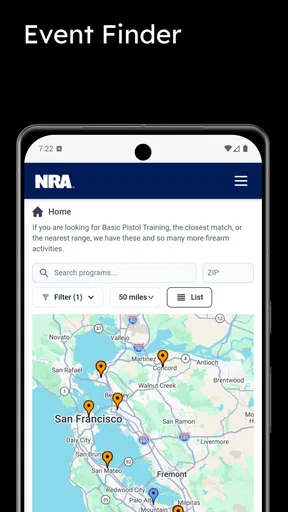
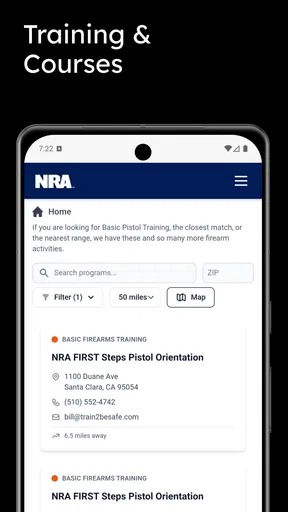
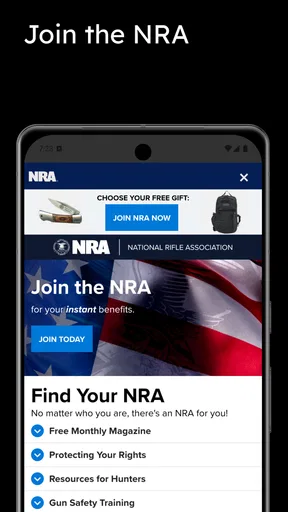
My first impression is that this is best understood as a member-oriented hub, not a full replacement for every NRA website or publication. The useful parts are the destinations: current news, learning material, event information, the digital ID card, and benefits. That grouping gives the app a clear job, and I found that clarity more valuable than a crowded collection of unrelated tools.
For someone already familiar with NRA terminology, the structure should feel fairly direct. A member checking an event, opening training information, or locating an ID card is likely to think in exactly those categories. The design challenge is that several of these areas can have very different reading needs. A short news item is scanned quickly, while training material may require concentration and repeated reference. Event information may be time-sensitive, and a digital card needs to be found without hesitation. A good workflow is to identify the section I use most often and treat the others as secondary destinations rather than trying to explore everything at once.
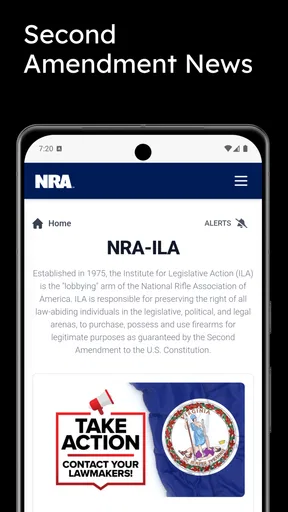
The app’s news function is more useful for following the organization’s own perspective than for building a balanced daily news routine. I would not use it as my only source when I need multiple viewpoints, local reporting, or independent verification. Instead, I see it as a convenient first stop for NRA-related updates, followed by outside sources when the subject affects a decision, a class, travel, or a legal responsibility.
That distinction is important because the category label can create the expectation of a general news reader. This is much more specialized. The developer is the National Rifle Association of America, and that relationship shapes what the app is for and how its material should be interpreted. I appreciate having the source clearly identified, but I would still compare important claims with official government guidance, instructors, or other reputable publications.
Reading comfort depends heavily on the phone and the material being opened. On a larger screen, longer text and event details are naturally easier to scan. On a small display, I would avoid rushing through training-related content, especially when it includes instructions that deserve careful attention. The app is more convenient than repeatedly searching a mobile browser, but convenience should not be confused with a substitute for hands-on instruction or professional advice.
Worth Reading Before You Choose

EA SPORTS FC Mobile 26 Is a Bigger Football Game, but It Takes Time

Flipboard Shows What News Apps Must Do Beyond the Feed

Switching to Android Auto Means Rethinking Your Driving Routine

Google Calendar Makes a Crowded Week Easier to Manage

Ludo King Makes the Most of the Minutes Between Plans

Baby Panda World Brings Quick Play to Modern Phones, but Its Game Library Feels Busy
Small habits that make the app easier to use
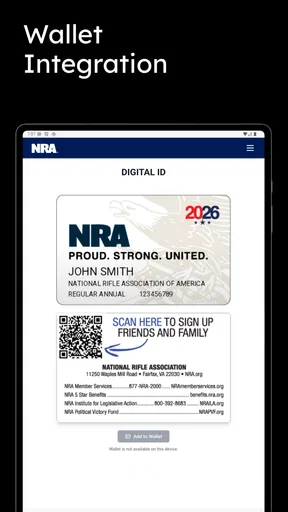
I found three habits particularly sensible. First, I would open the digital ID card before leaving for an event instead of waiting until I am standing at a registration desk. That simple check helps avoid fumbling with sign-in, network access, or an unfamiliar screen. Second, I would review training resources when I have time and attention, not during a hurried moment when I need an immediate answer. Third, I would use the news area as a way to notice topics worth investigating, then confirm consequential details elsewhere.
These habits reveal an important trade-off: the app can centralize access, but it does not remove the need for preparation. The digital card is useful when it is easy to reach, while event information is most valuable when checked early enough to plan around it. The app rewards users who organize their own routine rather than expecting it to do all the organizing automatically.
Public feedback gives the app a 3.1 average from 38 ratings, with 22 written reviews. I read that as a mixed early signal rather than a final verdict. It suggests that the experience has not been universally smooth, but the sample is small enough that I would pay more attention to whether the specific functions I need work reliably on my device than to the score alone.
Motor, sensory, and situational considerations
Accessibility is not only about whether an app contains a particular setting. It is also about how much effort it takes to reach an important function, how much reading is required, and whether the app remains useful when the user is distracted, tired, outdoors, or working with one hand. NRA has a practical reason to be judged on those points because its digital ID and event information may be needed away from a desk.
For users with limited fine-motor control, the most important test is whether the ID card and key sections can be reached without repeated tapping or precise gestures. I would prepare the card in advance and keep the phone unlocked only as long as necessary. If a person has difficulty with small touch targets, a larger device or the phone’s built-in display and interaction settings may make a noticeable difference. Those operating-system tools can help, although they cannot fix a confusing layout or a control that is difficult to locate.
Users with low vision should approach the app with the same care they would bring to any text-heavy news service. Increasing system text size, using display magnification, and choosing a high-contrast phone configuration may improve comfort. The practical limitation is that enlarged text can also change how much information fits on screen, so an event page or article may require more scrolling. That is a reasonable trade-off for readability, but it makes quick checking less convenient.
For people who are sensitive to visual movement or crowded screens, a focused routine helps. I would open one area at a time, read the relevant item, and return to the main navigation instead of continuously browsing. This is not a special feature of the app; it is a way to reduce cognitive load when the content spans news, learning, events, benefits, and membership information.
Screen readers and voice controls can be valuable for users who cannot comfortably tap or read a conventional interface. The experience will depend on how the app labels controls and presents its content on a particular device. I would test the exact tasks that matter most—opening training material, locating an event, and displaying the ID card—rather than assuming that general phone accessibility support guarantees a smooth experience everywhere.
Hearing-related access is less central to the app’s written news and membership functions, but it becomes relevant if any material relies on audio or video. I would look for readable text or captions within the individual resource before treating that content as accessible. Since training information can carry more weight than ordinary reading, I would not rely on an audio-only explanation when a person needs a fully understandable written alternative.
Situational access is where the app’s purpose becomes clearest. Imagine arriving at a venue after travelling, carrying equipment, and having only one free hand to retrieve membership information. A digital card that is already easy to locate is more useful than a beautifully organized home screen that requires several searches. The same applies to an event: checking details before leaving is safer and less stressful than trying to interpret them in a noisy parking area.
Connectivity and battery conditions also affect this kind of use. I would not assume that every page or resource will be available in exactly the same way when reception is poor. Before travelling, I would open the pages I expect to need, note essential event details, and make sure the phone has enough charge. That preparation is especially worthwhile for anyone who cannot quickly switch to a browser, ask someone else for help, or read a small screen in bright light.
The app can also support different levels of familiarity. A long-time member may go straight to benefits or the ID card, while a newer user may need more time to understand where training and event information fit. The trade-off is that a specialized hub may feel efficient once its structure becomes familiar but less obvious to someone who does not already know the organization’s services.
Where the experience still creates friction
The biggest barrier is not necessarily a button or font; it is the app’s narrow viewpoint. People who want impartial coverage, broad accessibility information, or a comparison of training options may find the content insufficient even if the interface works perfectly. In that situation, a general news app, a browser, or a local training provider’s own resources may be a better companion.
Another barrier is the difference between having information on a phone and being able to act on it responsibly. A training resource can help someone prepare, but reading an article is not the same as supervised practice. Event details can guide planning, but they do not replace checking local requirements or contacting the organizer when a question affects attendance. I would use the app as an access point, not as the sole authority for high-consequence decisions.
There is also a privacy and comfort question that each user should consider personally. A digital membership card is convenient, but some people prefer not to display membership-related information in public or on a shared device. I would use a screen lock, avoid handing the phone to strangers unnecessarily, and think about whether the digital card is appropriate for the setting. These are sensible precautions for any membership credential, not a claim about a specific policy of this app.
Older Android support is a welcome practical detail, but compatibility on paper does not guarantee equal comfort on every older handset. A device with limited memory, a small screen, or an aging battery may make news reading and event checking feel slower or more cramped. If the app feels cumbersome, the mobile browser version of the relevant service may be worth comparing, especially for longer reading sessions.
Users who need a highly customizable reading environment may also prefer a conventional browser. Browsers often provide familiar zoom controls, text handling, translation tools, and easier switching between sources. The dedicated app earns its place through consolidation and quick access to member-focused functions, particularly the digital ID card. It is less compelling when the main goal is extensive research across organizations.
My advice is to test the three tasks that define your use before committing to a regular routine: find the ID card, open a training resource, and locate an event or benefit. If those actions are comfortable with your preferred text size, voice controls, and one-handed technique, the app is probably serving its intended role. If one of those core tasks is difficult, the convenience of having everything together may not outweigh the friction.
Who I would recommend it to
I would recommend NRA to an existing member who wants a single mobile entry point for organization-specific news, training resources, events, benefits, and a digital ID card. It is especially practical for someone who attends events or checks membership information away from home. The free price removes the need to make a purchase decision, so the real question is whether those member-oriented functions fit the person’s routine.
I would also suggest it to a user who prefers official organizational material in a dedicated app rather than searching through a browser. The focused scope can be an advantage for people who already know what they are looking for. A person preparing for an event could check the relevant information beforehand, organize the phone’s accessibility settings, and keep the ID card within easy reach.
I would not recommend relying on it as a complete news source. Readers who want competing perspectives, general headlines, or broad coverage should pair it with independent outlets. I would also steer away from treating it as a complete training replacement. For practical skills, local instruction, qualified educators, and current official rules remain important.
My inclusive verdict is therefore conditional but clear: this is a useful specialized hub when its audience and purpose match your needs. Its strongest accessibility quality is situational convenience—the possibility of reaching membership and event information from a phone—but that benefit depends on preparation, device settings, and how easily each person can navigate the core sections. The 3.1 average reflects a mixed reception, and I would install it with realistic expectations rather than assuming a polished universal experience.
After using it, I see NRA as a companion app, not an all-purpose information service. It can simplify a member’s mobile routine, particularly around the digital ID card and organization-specific resources. It is less suitable for readers seeking neutral news, extensive customization, or a single definitive source for training and legal questions. For the right user, its value comes from focused access; for everyone else, a browser and broader sources may be the more inclusive choice.
Pros
- Provides information about firearms
- safety
- training
- and responsible ownership.
- Includes NRA news and updates on Second Amendment-related issues.
- Offers access to educational resources for new and experienced gun owners.
- May help users find NRA programs
- events
- and membership benefits.
- Useful for readers who want content from a pro-gun-rights organization.
Cons
- The content may reflect a strongly pro-gun-rights viewpoint.
- Some features or resources may require an NRA membership or payment.
- News coverage can feel advocacy-focused rather than politically neutral.
- Availability of events and services may vary by location.
- The app may be less useful for users seeking broader firearms perspectives.
FAQs for NRA
What is the NRA app used for?
The NRA app is designed to give members and interested users convenient access to National Rifle Association content and services in one place. Depending on the version and your location, it may include news, articles, educational resources, membership information, event details, advocacy updates, and other organization-related features. The available tools can change over time, so checking the current app description is recommended before downloading.
Is the NRA app free to download and use?
The NRA app can generally be downloaded without an upfront charge, although some services or content may require an NRA membership, registration, or participation in a paid program. Downloading the application does not necessarily mean that every feature is free. Before signing up or entering payment information, review the membership terms, subscription details, and any optional purchases presented inside the app.
Do I need an NRA membership to use the application?
Not necessarily. Some sections may be available to all users, allowing them to browse public information, read selected content, or learn about NRA programs. However, member-only articles, account tools, benefits, event services, or personalized resources may require valid credentials. If you already have an NRA account, you may be able to sign in directly; otherwise, the app should explain which features require registration or membership.
What permissions and personal information does the NRA app request?
The permissions requested may vary according to your device, operating system, and the features you use. The app may ask for access related to notifications, account authentication, location-based event information, or other optional functions. It is worth reviewing the privacy policy and permission prompts carefully, especially if you are concerned about data collection. You can usually deny nonessential permissions, although certain features may then be unavailable.
Does the NRA app work on both Android and iPhone?
Availability depends on the specific NRA application and the store listing in your country. If an official version is offered for both Android and iOS, the general purpose should be similar, but the interface, update schedule, and supported features may differ between platforms. Before installing, confirm that the developer is official, check the required operating-system version, and read recent user reviews to identify compatibility or login issues.


